


FLEX can be deposited to a Faculty/Staff JACard online with credit card or in person with cash or check.
Employee meal plans must be selected online. They can be paid for through payroll deduction, using FLEX, online with credit card or in person with cash or check.
Online:
- FLEX - Detailed instructions below
- Meal Plans - Detailed instructions below
In Person at the University Business Office:
Faculty and Staff FLEX Accounts
About FLEX
FLEX is a declining balance account that connects you with the JMU campus community. Similar to a checking account, purchases are deducted automatically and the balance is displayed after each transaction.
Advantages of FLEX:
- Use in many on and off campus locations
- No monthly service charges
- No need to carry cash - access with a swipe of the JAC
- Can't be used if your JAC is reported stolen
- Unused balance carries from year to year
- A 5% discount in JMU Dining Service Operations (excludes East Campus Dining Hall and West Campus Dining Hall)
The duration of the FLEX and Dining Dollars GOLD accounts shall be from the opening date of the account until one of the following occurs:
- The account funds are depleted.
- A subsequent deposit or other circumstance result in a superseding account.
- Two semesters pass in which no transaction takes place within the account. (Refer to "Inactive Student Accounts" section below).
A Dining Dollars account is established with the purchase of any resident or commuter meal plan, and shall remain open until one of the following occurs:
- The account funds are depleted.
- At the conclusion of the spring semester, any unused balance will be forfeited.
A FLEX account may be opened by any student, faculty or staff member associated with JMU. A standard Dining Dollars account now comes with all meal plans purchased by resident and commuter students. Dining Dollars GOLD accounts may be opened by any JMU student.
General OperationUpon the customer's initial deposit which opens an account, the university will establish an electronic account balance in the customer's name and validate the customer's university access card for use in the electronic card readers. The customer may then use these funds for purchases where FLEX, Dining Dollars and Dining Dollars GOLD are honored. Purchases will not be allowed with a malfunctioning card.
Lost or Damaged Access Card ReplacementLost or damaged cards will be replaced by Card Services upon the customer's or university official's request. Such replacements will be made in accordance with current policies regarding card replacement. In most cases, the customer will be charged a replacement fee.
Liability for Illegitimate Use of AccountCustomers are responsible for safeguarding their own university access card. Should the card become lost or misplaced accidentally or by theft, the university assumes no responsibility for illegitimate withdrawals from the customer's account prior to the customer notifying Card Services during its normal business hours. During non-business hours, campus police and public safety should be notified. Upon notification, the account will be deactivated until the rightful owner has a new card made.
Transferring Account Funds to Another Card Holder's AccountAt any time, card holders may request to have funds from their existing FLEX or Dining Dollars GOLD account transferred to the existing account of another card holder with no service charge. Dining Dollars accounts are not transferable.
Inactive Student AccountsShould two semesters pass in which no transactions take place in a FLEX or Dining Dollars GOLD account, and there is a remaining balance, the university will refund the remainder through the University Business Office.
Depositing to FLEX
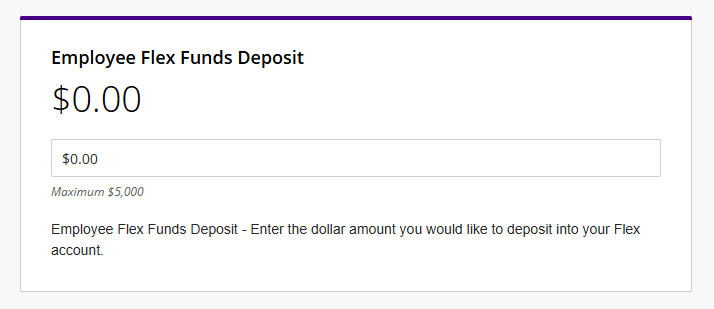
- Input the amount you wish to add to your FLEX account. Click Continue.
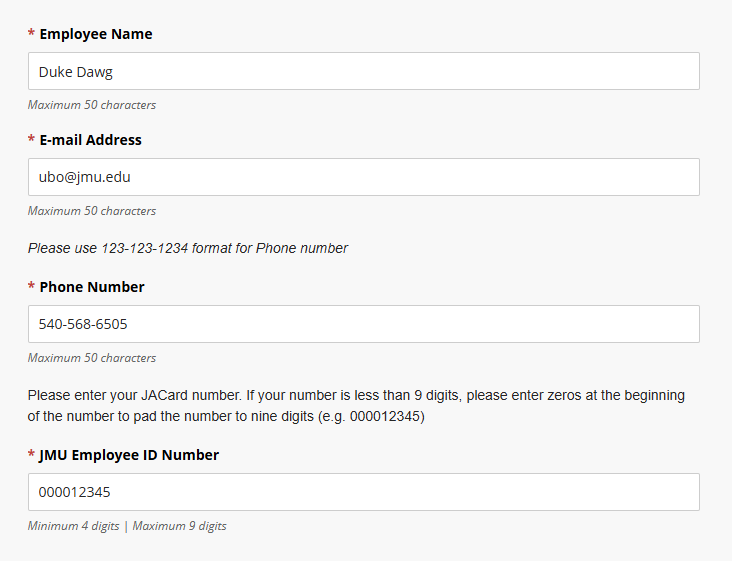
- Input your employee information. Click Continue.
- Input your payment information. Click Continue until you receive a payment confirmation.
- Funds will be available on your JACard the following business day.
Where to use FLEX
Faculty and Staff Meal Plans
About Meal Plans
Faculty/Staff Meal Plan information can be found at the JMU Dining page.
Purchasing a Meal Plan
- Select a Meal Plan - Prior to paying for the meal plan, employees must select a meal plan from the Dining Services website.
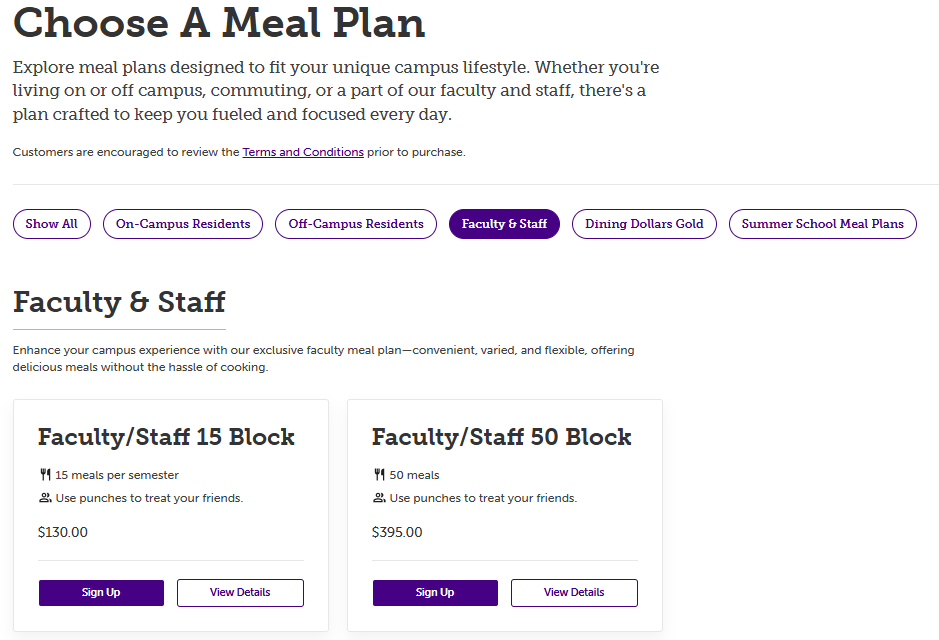
- Pay for your meal plan in person at the Business Office or online with the steps below.
Payment Options
Regardless of payment option, transactions are finalized manually. Meals plans will be activated by Dining Services on the next business day.
FLEX Account - Funds will be deducted from your FLEX account to pay for the meal plan. No further action is necessary.Payroll Deduction - The meal plan will be deducted from your paycheck per the arrangement you selected when purchasing the meal plan. No further action is necessary.Cash or Check - Visit the University Business Office on the 5th floor of the Student Success Center to pay for your meal plan.Credit Card - Make your payment online through the Meal Plan Payment Site.- Access the Meal Plan Payment Site.
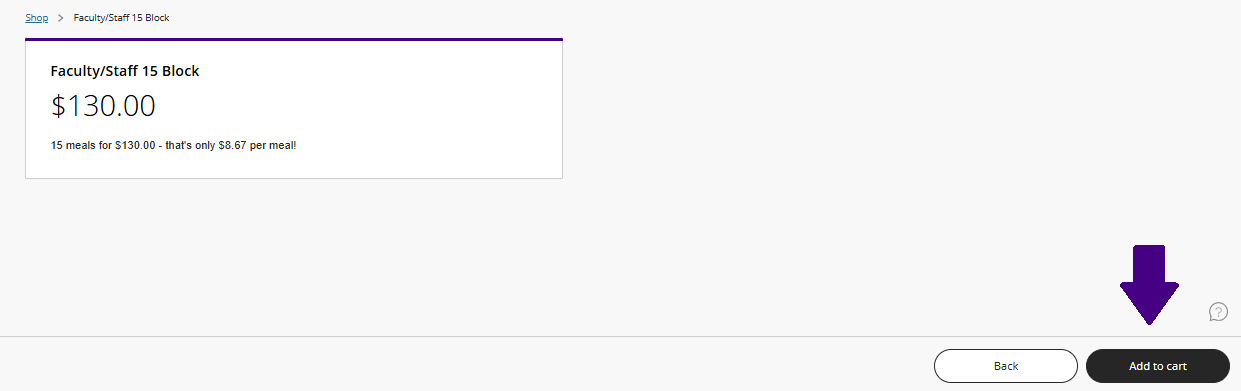
- Select the fee that matches the Meal Plan you signed up for through Dining Services.
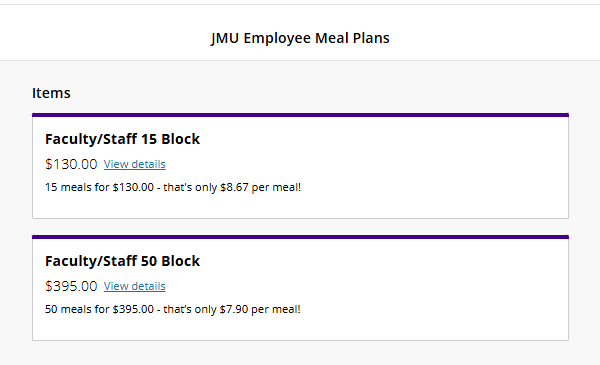
- Add fee to your cart.
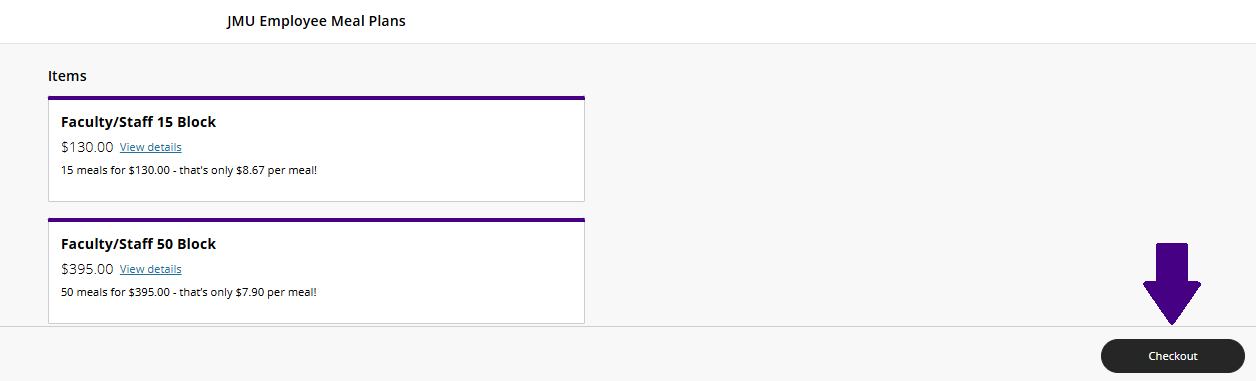
- Click Checkout.
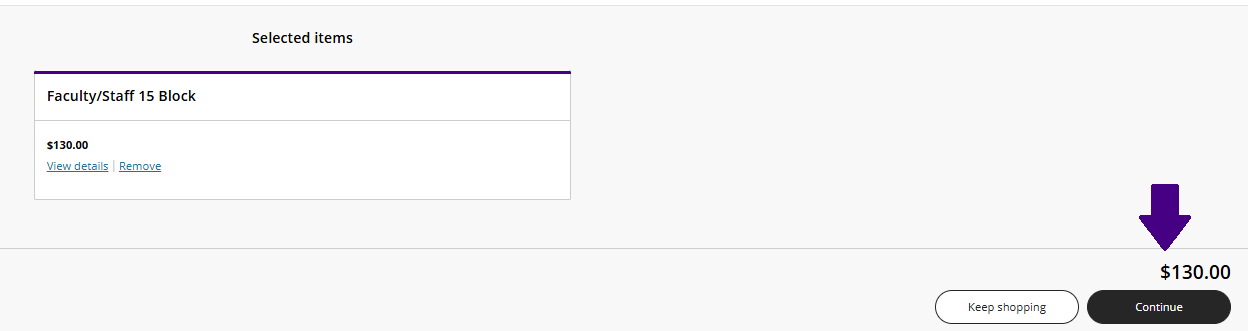
- Click Continue.
- Input employee information.
- Input payment information. Click continue until you receive payment confirmation.