


The email quality checklist should be followed by the email author for every email before being submitted for release.
If you use the email name generator, it will be 100% correct. More details about email naming is provided on that page. If you did not use the email name generator to name your email, go back and use it now.
- SUBJECT LINE: Is the subject line effective? See:
- Documentation for creating effective subject lines
- How to write effective subject lines
- Infographic: How to write the perfect subject line
- Subject line examples
- 50 characters or less recommended
- If the email has a video, it his HIGHLY RECOMMENDED to have "[video]" in the subject line
- If resending an email to the same group, did you change the subject line?
- PREHEADER: Is the preheader effective?
- Can be fairly long... iPhone Mail shows two lines of preheader text
- Did the email start from an email in your _starter-templates folder?
- Does the email use only the official JMU colors?
- Do all the hyperlinks work?
- Images:
- Do all images have descriptive alt text? Review alt-text and image description best practices.
- Are all images saved at 72ppi and no bigger than 600px wide?
- Are all fonts Arial?
- Is anything underlined that isn't a link?
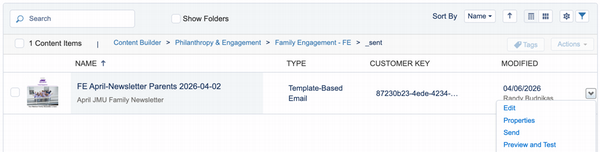
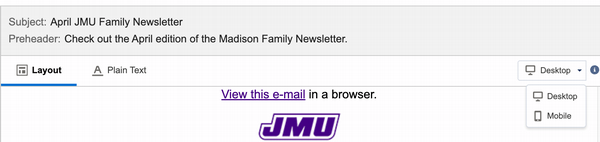
- Did you go to the "Preview and Test" window and look at it in mobile?
- Does your email contain tokens? If so, are you 100% sure that every recipient has a valid value for that token? Really? Didn't think so. Don't use tokens then :) - If you MUST use tokens, then it will require a data audit for every record in the send. This process would include Barry King, and the work would have to be scheduled and prioritized appropriately.
- If tokens are being used, a real send must be sent to a few accounts to make sure the tokens resolve correctly. It is not enough to send a "Preview." After it has been validated that the tokens work, a new release with the actual list of recipients can be scheduled.
- Are there any hyperlinks that are non-jmu urls? If so, hide them behind hyperlinked text. It's ok to show jmu.edu urls though, as long as they're not really long and ugly.
- If there a link to a give form? Is the domain of the url "give.jmu.edu"? (it should not be "givecampus.com")
Have appropriate audience managers been notified and/or looped in for approval? Use the tables below to determine if your email needs approval and who the audience managers are.
- Voice of the institution emails are directed by the President and/or Senior Leadership.
- Intra-audience emails are sent by the audience-manager to the audience they manage.
- Extro-audience emails are sent to an audience that the sender does not manage.
|
Type of email |
Notify audience manager? |
Get audience manager approval? |
|---|---|---|
|
Voice of the institution |
YES (notify EVERY audience manager below, for every audience, regardless of the audience(s) being sent to) |
no |
|
Intra-audience |
implied |
implied |
|
Extro-audience |
YES (notify only the audience managers corresponding to the audience(s) being sent to) |
YES |
|
Audience |
Manager(s) |
|---|---|
|
Alumni |
polglaph@jmu.edu |
|
Parents |
kitetl@jmu.edu |
|
Donors (any solicitation) |
rischmke@jmu.edu |
- Preview:
- Have you sent a preview of your email to your stakeholders for approval?
- Did you check the preview on both desktop and mobile devices?
- Release request:
- Have you submitted a release request?
If you have any questions about the checklist or process, please contact the Digital Marketing Team.


Hours of Operation:
Mon - Fri 8 a.m. - 5 p.m.


