Every year you will need to sign into MyMadison and accept/decline your financial aid awards.
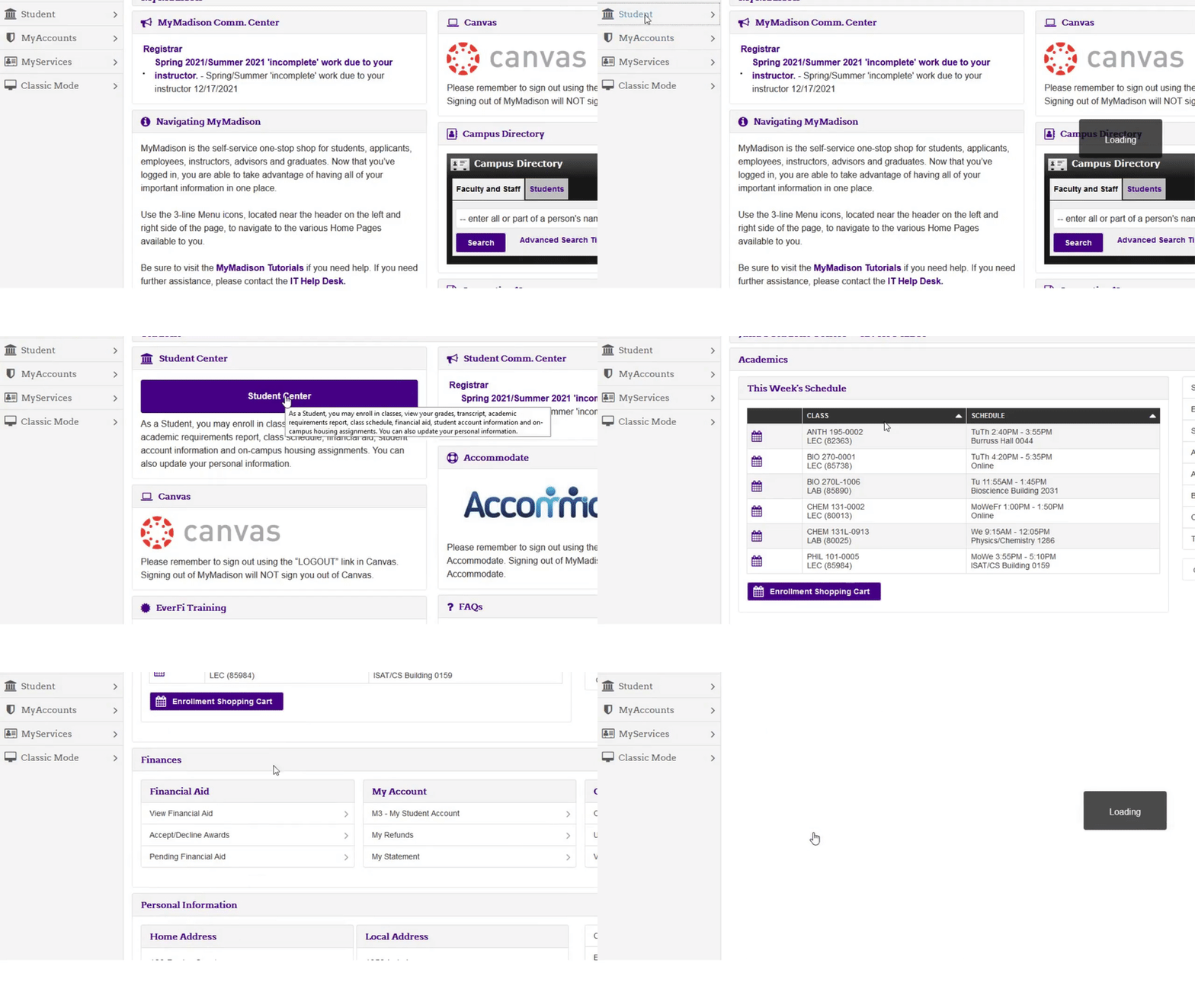
Sign into MyMadison and select the student tab and student center. Then select Accept/Decline Awards.
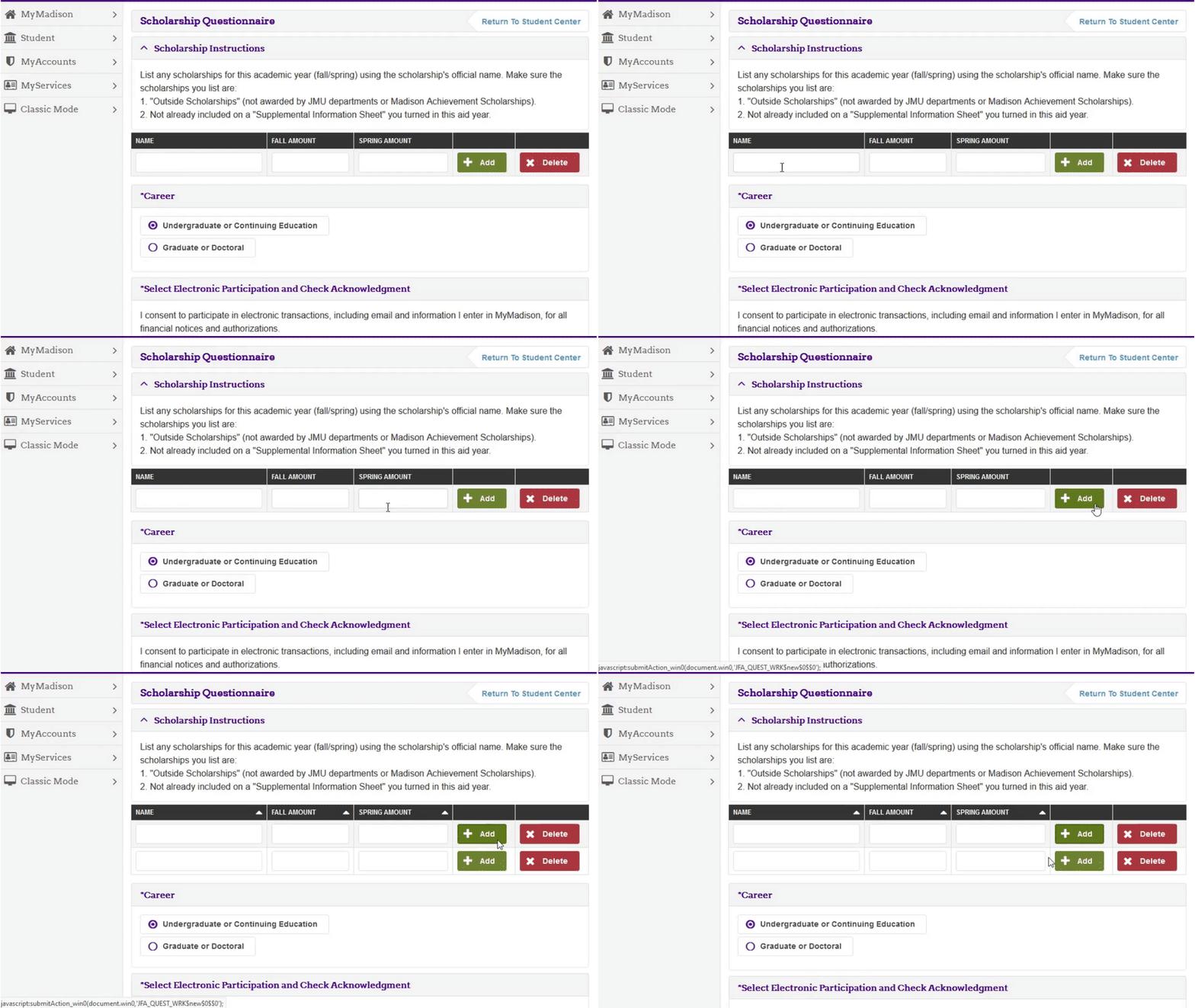
You will need to fill out this questionnaire every aid year before you can accept or decline awards.
List any outside or private scholarships you are receiving for this academic year. Make sure you use the official scholarship name.
Do not list Madison Achievement or JMU Departmental Scholarships here.
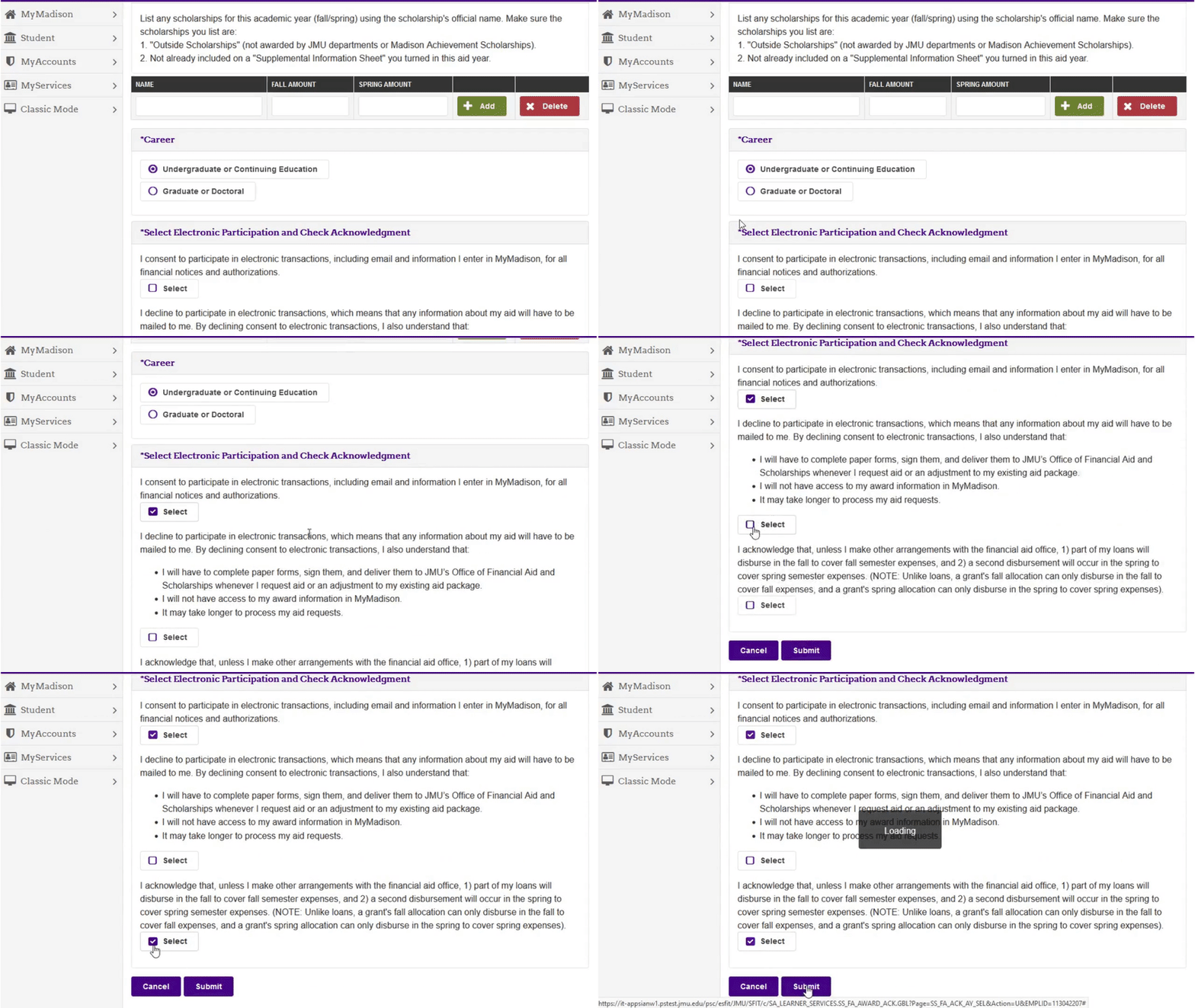
Then select participation and check acknowledgement.
Step 3-View Awards
Select the aid year to review your awards.
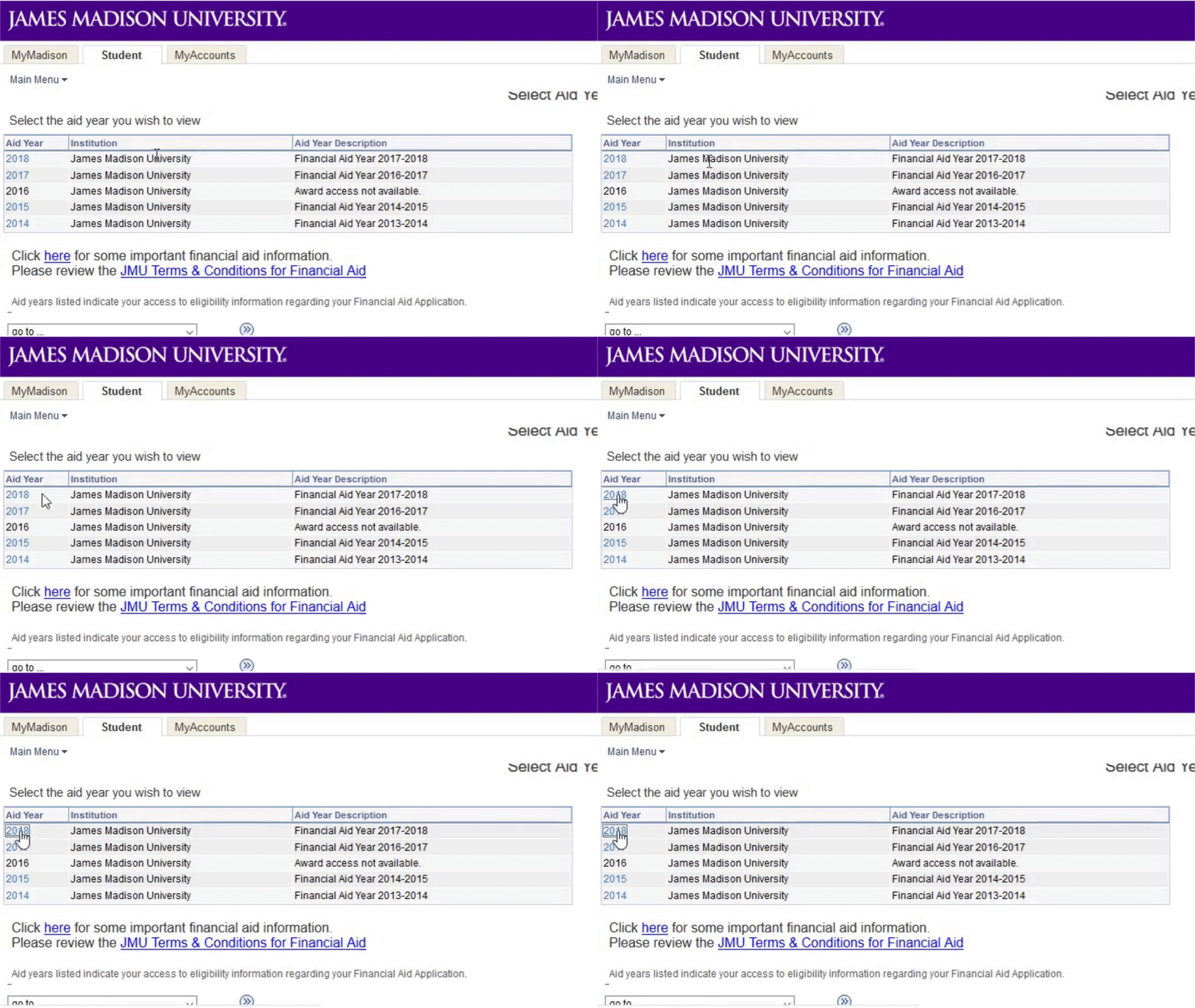
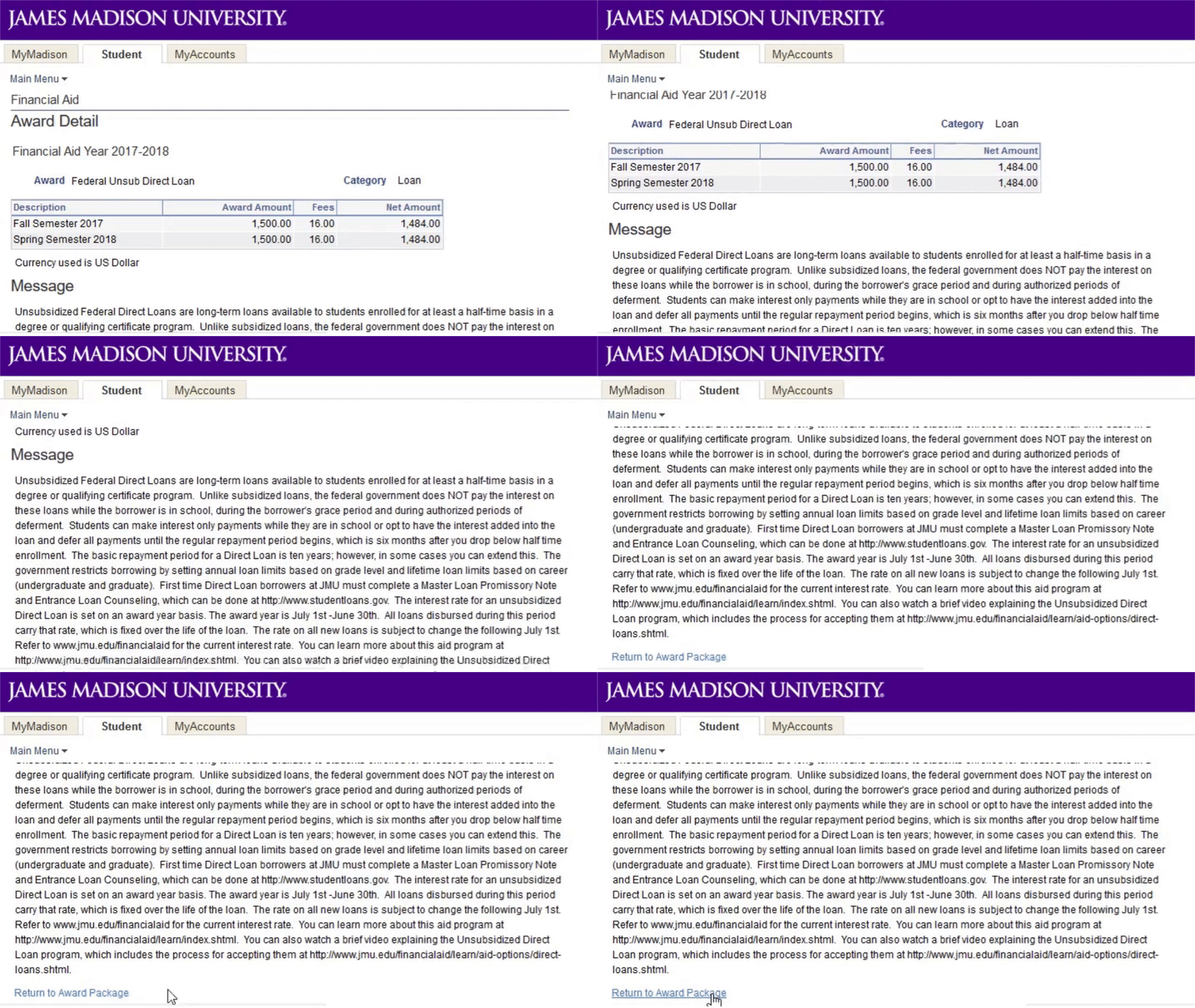
You can view details about an award by clicking on its name. Return to the awards list by clicking Return to Award Package.
Step 4-Accept Awards
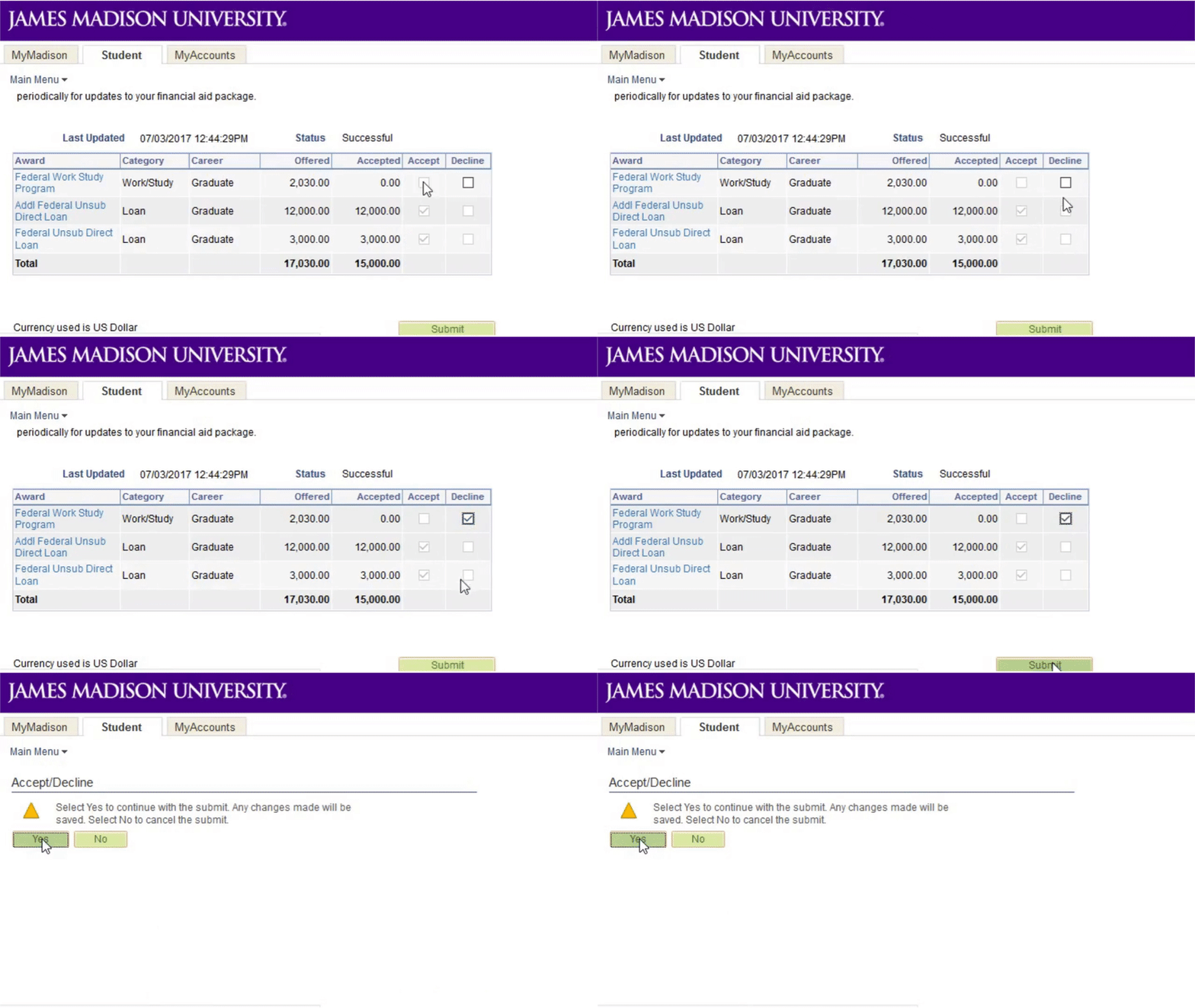
Accept or decline any outstanding awards and click Submit, then Yes to confirm.