

Update: Email Alerts for Blocked Attachments
Information Technology-Computing



JMU blocks certain email attachment types, including .zip files, because they may pose a security risk.
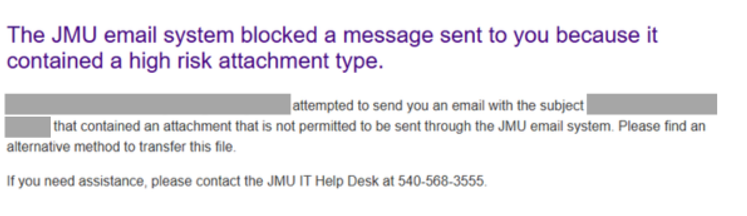
When a JMU account attempts to send an email with a blocked attachment type, the sender receives a message stating that the email was blocked due to a “high risk attachment type.” This is expected, and senders will continue to receive these alerts for blocked attachments.
Previously, JMU only notified senders when an email included a .zip file. JMU will now send alerts for all blocked attachment types sent from JMU accounts. JMU accounts will also receive an alert when someone outside JMU attempts to send them an email with a blocked attachment type, including the originating email address. The recipient will receive instructions for requesting the attachment another way and should contact the original sender to arrange an alternate delivery method.
An example of an email alert is below.
For more information, please contact the IT Help Desk at 540-568-3555.


