Zoom and Microsoft 365 Updates
Information Technology-Computing



New Zoom Web Experience
As previously mentioned in the March IT Newsletter, the Zoom web application is getting an updated look and feel that will include a new header, simplified navigation, and new web portal designed to be more consistent with the Zoom desktop application.
The new Zoom Web Experience went into effect for all users as of September 30, 2026.
To better understand these new changes, please reference the associated Knowledge article.
Zoom Authentication Settings
JMU IT has recently applied recommended settings published by the Center for Internet Security (CIS) to our Zoom environment to improve our security configuration while minimizing the impact on services.
Please see the summary of changes below and follow the Zoom Meeting Authentication article in the JMU Knowledge Base for assistance with internal or external meeting participant access.
-
Session Timeouts – user sessions are now timed out after two hours of inactivity. This does not include meetings and only pertains to inactivity when logged in outside of meeting times.
-
Internal Access – all JMU users must utilize JMU single sign-on (SSO) to access the system.
-
External Access – external users can still access JMU Zoom meetings or recordings without the need for a Zoom enterprise or personal account. Inviting an external user will provide them with the passcode embedded link used for access to the meeting or recording.
-
Waiting Rooms – external users will now enter a waiting room until the meeting host arrives to allow them into the meeting.
-
Co-Hosts – external users are no longer able to be assigned as a co-host ahead of time, but they can still be promoted to co-host once the meeting has started.
Zoom AI
Zoom AI (formerly known as Zoom AI Companion) is now available at JMU!
Set up Zoom AI during meeting scheduling to automatically assist and summarize meetings or utilize it in meetings already in progress by accessing Zoom AI in the meeting toolbar.
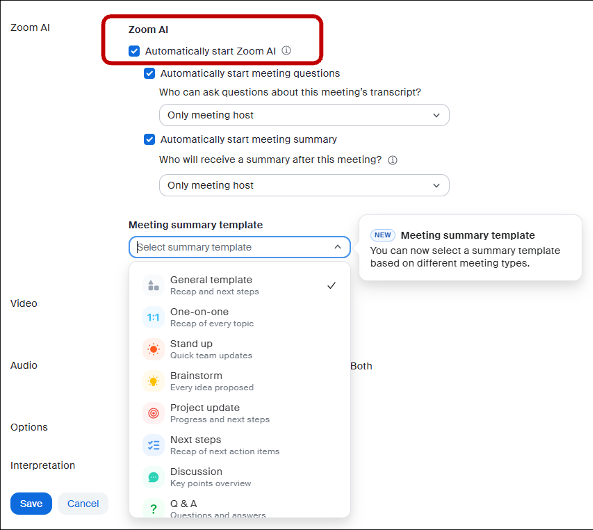

Please see the JMU Knowledge Base or utilize the Zoom Meetings Help ticket form for more assistance with Zoom AI features.
Microsoft Copilot Updates
As Microsoft Copilot continuously evolves, we want to provide an update on how each version of Copilot is best utilized within the JMU environment.
-
Copilot Chat – this is the base level of Copilot available to all JMU faculty, staff, and students on the web at copilot.microsoft.com. It is a web-facing version of Copilot that is not connected to your work data in the JMU Microsoft 365 environment.
-
M365 Copilot – this is available as an extra-cost premium subscription for employees of JMU. M365 Copilot is connected to your work data in the JMU Microsoft 365 environment and is intended to boost productivity by providing intelligent suggestions and automating tasks.
-
Copilot Studio - available as an extra-cost subscription for employees of JMU, Copilot Studio allows users to build and maintain custom agents within their department. Licensing is available upon approval of departmental use case and request.
Please see the Generative AI article in the JMU Knowledge Base for more information on Copilot Chat, M365 Copilot, or Copilot Studio.
M365 Support in IT Service Portal
JMU IT has recently implemented a new IT Service Portal, which includes a single ticket form for many M365 service requests and support needs.
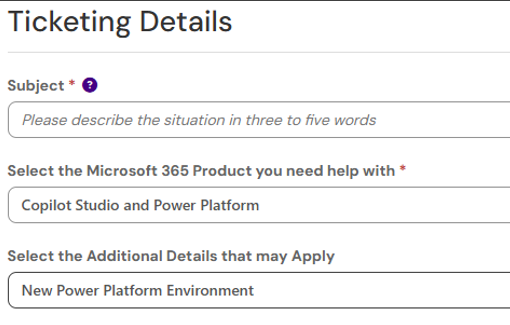
M365 Application Help can be used to request assistance with OneDrive, Teams, SharePoint, Forms, Copilot, Power Platform, and much more by using the dropdown menus within the ticket to select the M365 product you need assistance with and any additional details that may apply.
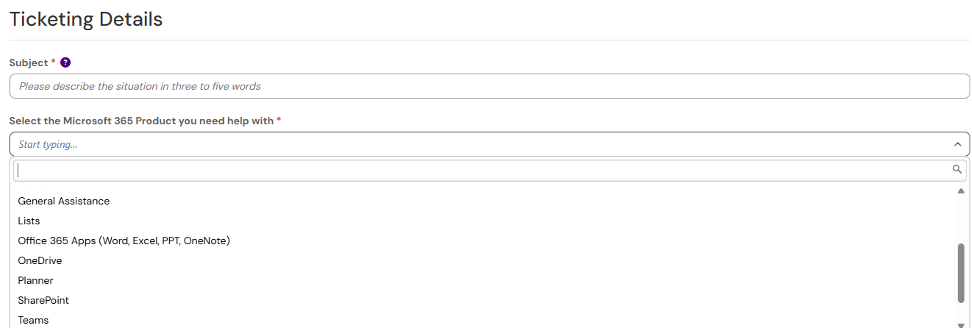
The Email and Collaboration Services page can be used to access additional information and ticket forms for email services, file restorations, and M365 quota increases.
Power Platform Updates
JMU IT has recently implemented user development and departmental production environments within the Microsoft Power Platform.
When accessing any of the Power Platform applications (Power Automate, Power Apps, Power BI, Copilot Studio), users will now start out within a personal development environment and be able to create and test in a limited capacity before deploying out to a departmental production environment.
When ready to deploy in the Power Platform for the first time, the M365 Application Help ticket form can be used to request a departmental production environment.