


Health Center Hours (June 1st – June 30)
Monday – Wednesday: 7:45 a.m. – 4:30 p.m.
Thursday: 9:00 a.m. – 4:30 p.m.
Closures:
Tuesday June 2nd 12:00 p.m. - 4:30 p.m.
Friday's June 5th, 12th, 19th, and 26th
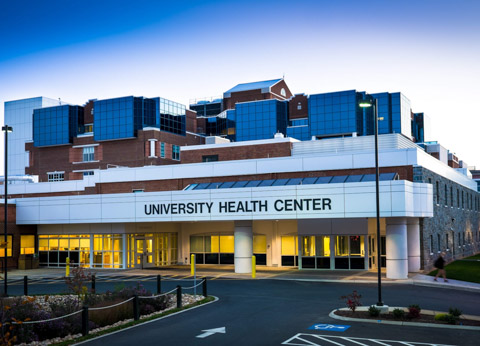


The Health Center provides inclusive and confidential care to all enrolled students. We have a strict policy concerning confidentiality of visits and medical records. Patient information will not be released to anyone without the student’s consent. Health Center personnel may not provide information to parents of students without their consent. For more information, visit our FAQ section.
Normal Hours of Operation for School Year
Monday–Wednesday 8:00 a.m.– 4:30 p.m.
Thursday 9:00 a.m.– 4:30 p.m.
Friday 8:00 a.m.– 4:30 p.m.
Lunch Hours:
First floor open (outside entrance, corner of MLK & Mason St.).
Second floor is closed for lunch from 11:45 a.m. to 12:45 p.m.
Pharmacy closed for lunch from 12:00 p.m. to 1:00 p.m.
If JMU is closed or delayed, the UHC will be on the university's schedule. If you have an appointment during the time we're closed, please reschedule using MyJMUChart or by calling 540-568-6178 option 2.
After Hours
Sentara RMH Emergency Dept.
Emergicare
Bons Secours Urgent Care
Valley Urgent Care
Sentara Urgent Care
Most insurance providers have 24-hour nurse advice lines; we encourage students to utilize this option if it is available through their insurance.
Emergency
JMU Police Department (for on-campus emergencies): 540-568-6911
For off-campus emergencies: 911
COVID 19 Information
- Testing for COVID-19 | COVID-19 | CDC
- To make an appointment for COVID testing at UHC, visit MyJMUChart

Additional Fax numbers
540-568-4573 (Allergy Clinic)
540-568-7803 (Lab)
See Hours of Operation
