


FLEX accounts are automatically opened when you become a Student at JMU.
Once it is open you may add funds anytime online using a credit/debit card.
Please note there is a convenience fee of 2.50 for deposits made via the web. There is no convenience fee to make a deposit if you call 540.568.6446 during normal business hours (M-F 8am - 5pm).
Please note: Charges on your statement will appear as "JMU CARD SVS ONLINE PMTS".
To Deposit Funds into FLEX:
- Select Online Services from the left Navigation Bar
- Then click "Manage your account online". You will be brought to this screen:

3. Click the Login Here link on the left side of the page. You will then see this screen:
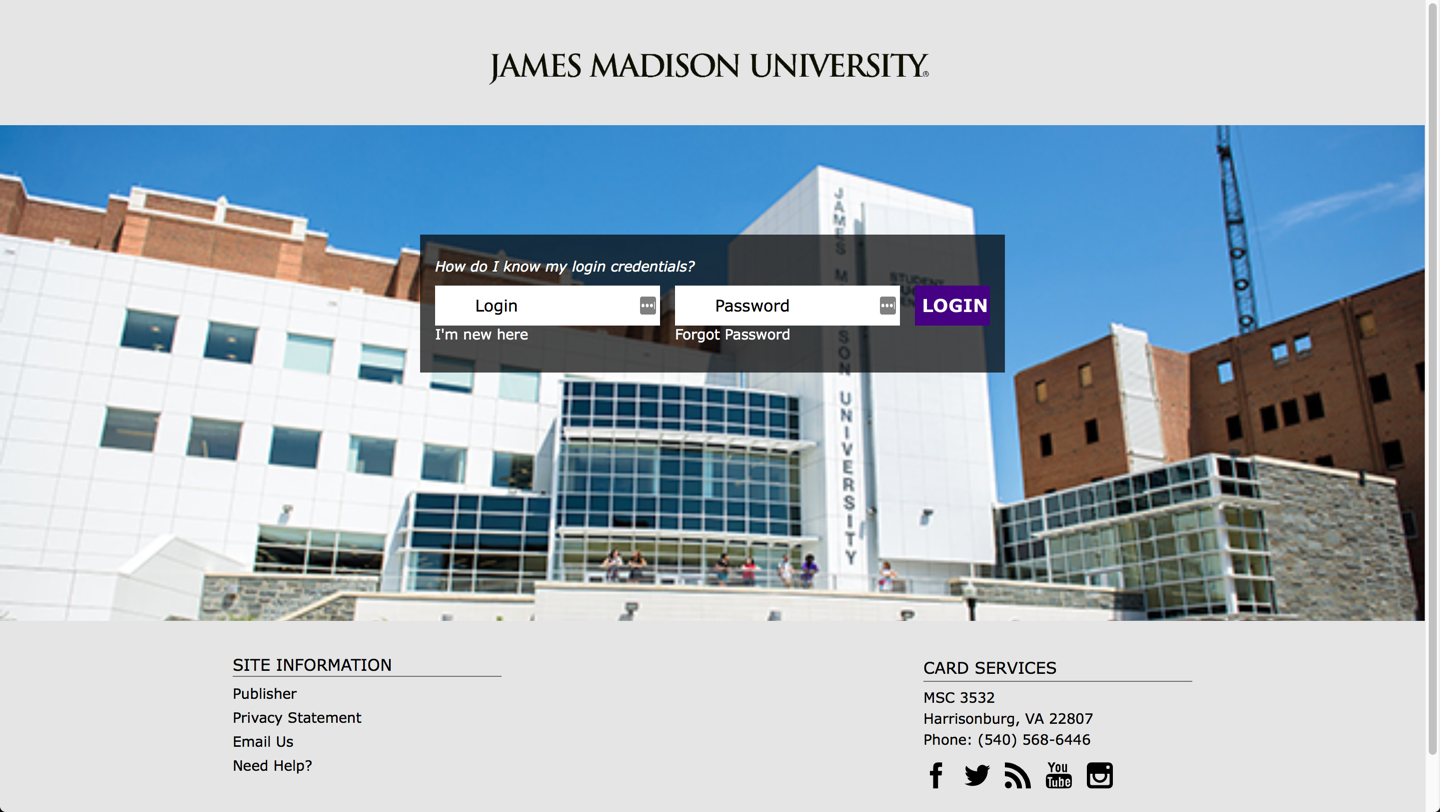
4. Input your JACard ID number and password for your account. If this is your first time using Online Account Access you will need to register your account by following the instructions found on the First Time Online Access Tutorial.
5. Once logged in you will be brought to a screen that shows you most recent transaction history. Click the "Online Services" link to the left. It will look like this:
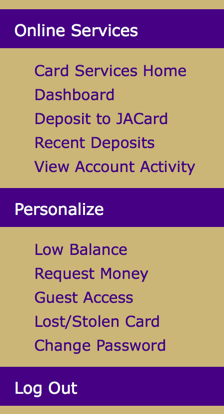
6. Choose the Deposit to JACard link and you will be brought to this page:
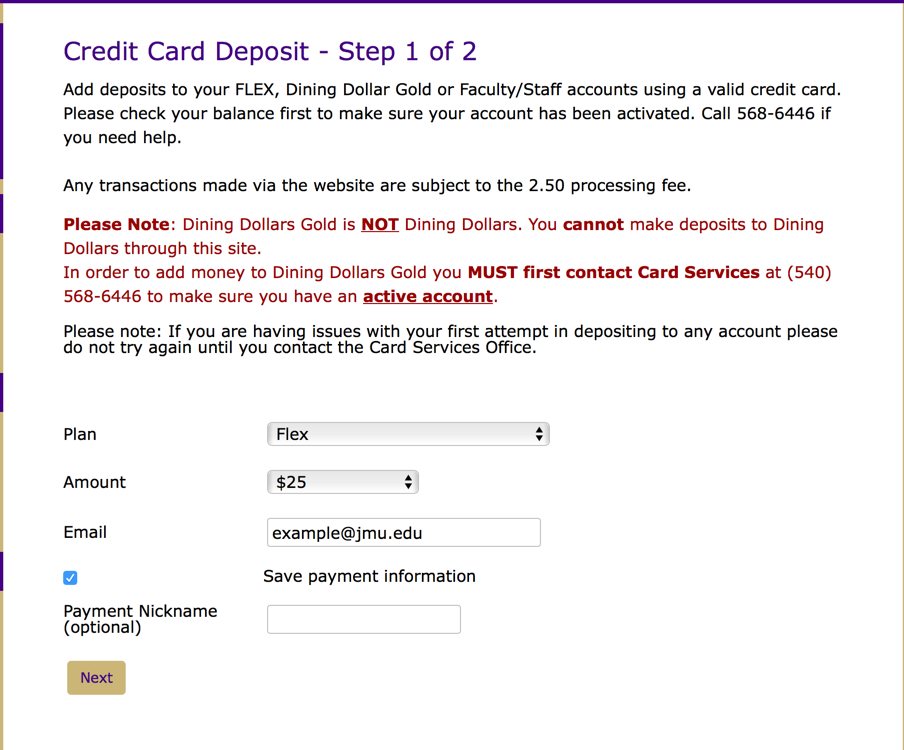
7. Fill out each field and choose the amount you would like to deposit.
8. Once each Field is filled out and you are ready to continue, press the next button and you will be taken to the payment method screen. Enter your payment information and click pay.
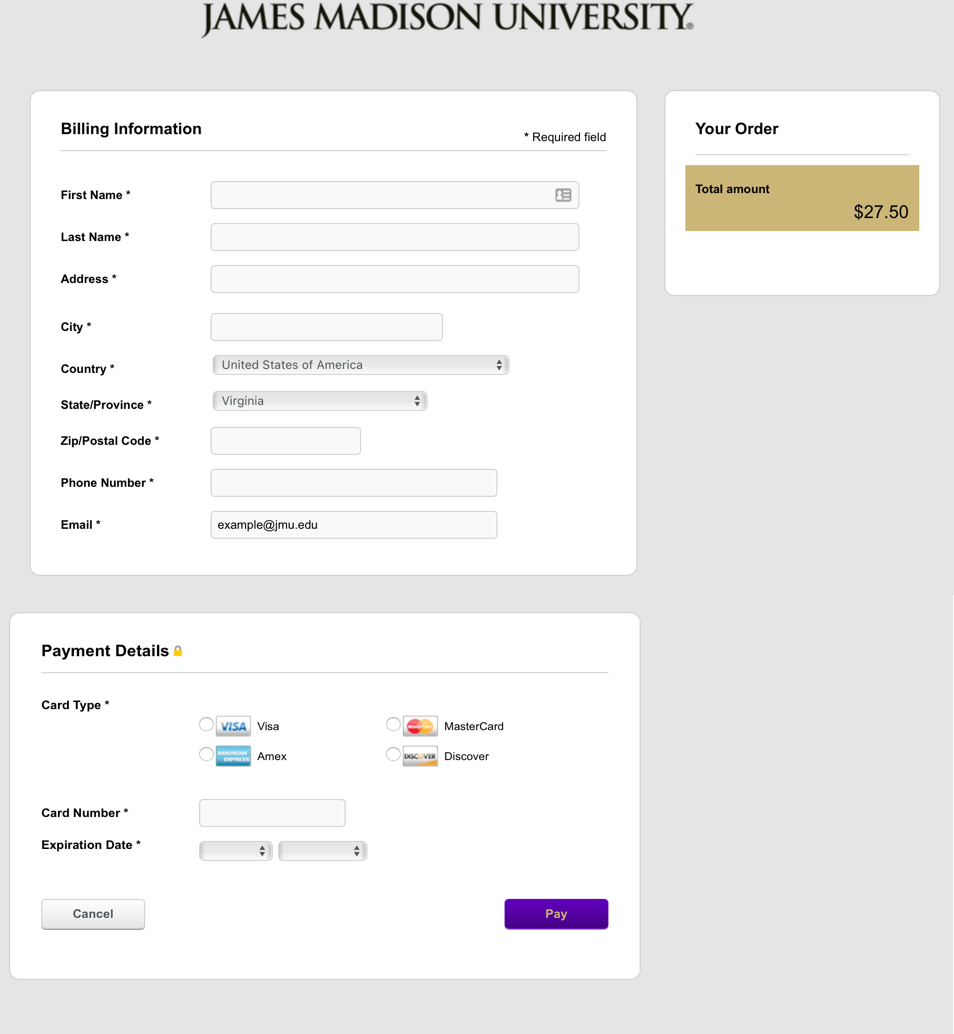
9. Please note that during the processing of your deposit you should not hit the back button on your browser or reload the page as this may cause the transaction to be processed multiple times. If you encounter any issues or have questions please contact our office at 540-568-6446.
